

Your prop firm has approved a payout, but the money is not in your bank yet. If the firm pays through Rise, approval is only one part of the process. You still need a completed payee profile, the correct payer relationship, and a withdrawal to your chosen destination.
Rise handles the payment after the prop firm sends it. It does not decide whether your trading account meets that firm's payout rules. Keep the firm's payout request, the incoming Rise payment and your bank or wallet withdrawal separate when checking progress.
Where your payout is in the process
Approved does not yet mean received
For example, a hypothetical request marked Approved in the firm's dashboard may still have no matching payment in Rise. That is a question for the payer to trace. If the payment is already visible in Rise but you have only saved a bank account, the money has not been withdrawn yet.
The Tradeify review explains its account and payout conditions.
Create the receiving account
Open Rise and choose Sign Up. The email form asks for First Name, Last Name and Email Address. Enter the legal name shown on the identity document you will submit.
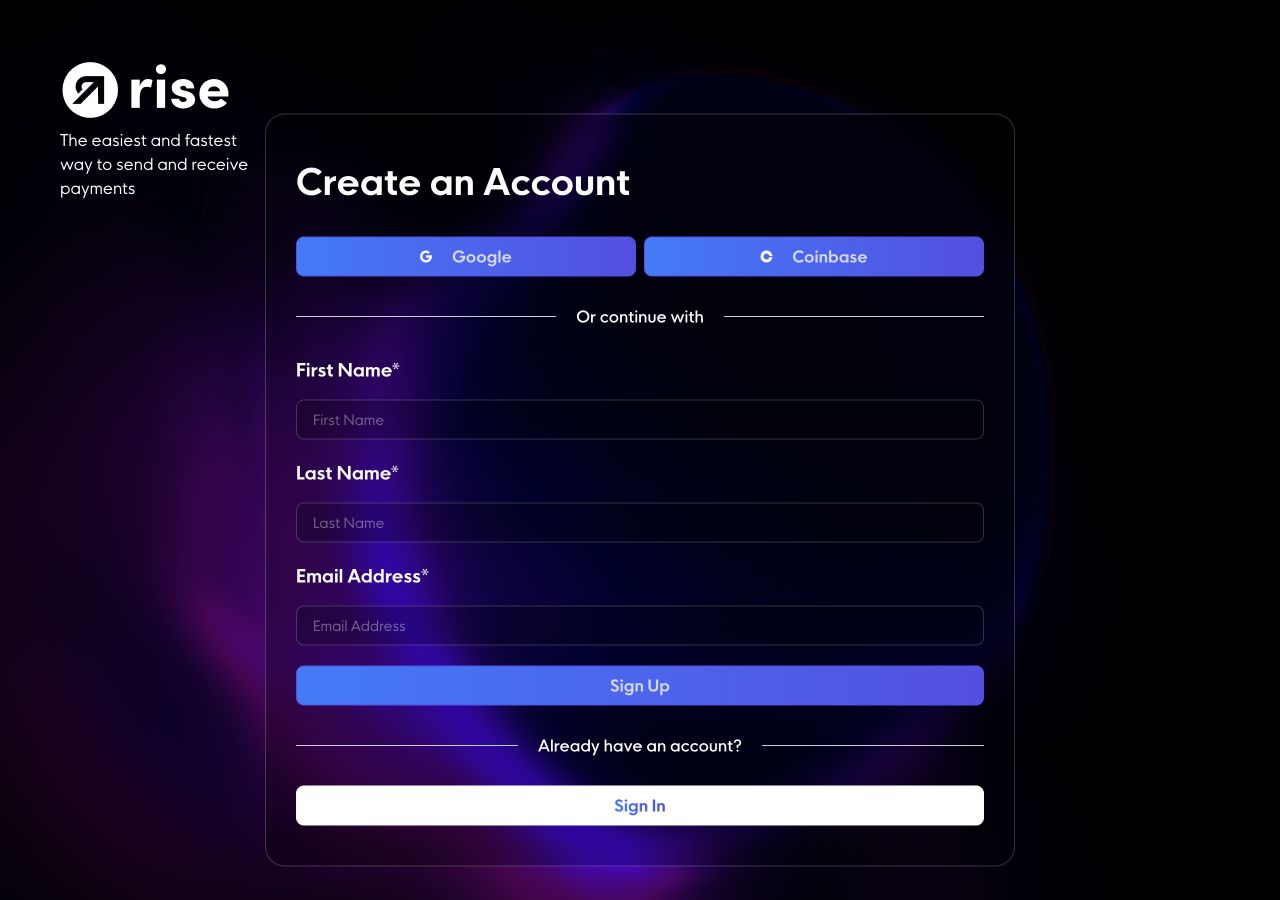
Tradeify requires the same email address on its own account and Rise. If you already use Rise under a different address, ask Tradeify and Rise how to connect the existing profile before continuing. An existing verified Rise user can accept another payer's invitation without creating a separate account for every firm.
After email signup, enter the six-digit code sent to your inbox and select Complete Sign Up. Choose Receive payments, then Start as Payee. Individual is the personal contractor route; Registered Business is for a registered entity and has its own documentation. Match the identity receiving the payment to your agreement.
Finish identity, passkey and signing requirements
Follow the remaining items in the left sidebar. The payee setup includes terms, identity verification, a passkey, signing requirements and Rise ID creation. Review each agreement before accepting or signing it. Completing KYC alone does not finish the payment profile.
Use an unexpired government-issued document and complete the live identity check yourself. If address verification is requested, the document needs your legal name, current residential address and a visible issue date within the last 60 days; active leases have a date exception. Prepare a bank or credit-card statement, an eligible utility bill or an active lease. Identity documents and proof of address are separate requirements.
Under Review means that item is still being checked. Look for a specific request for another document and respond through the verification flow. Passing another company's KYC does not establish that Rise has approved this profile.
At Create your passkey, choose Set up passkey and complete your device's authentication prompt. Keep track of the device or password manager used. Later signing and withdrawal actions can require that key. If the key is unavailable, use Rise's recovery process; creating another profile is not a substitute.
Complete the remaining signing tasks and create the Rise ID when prompted. Rise ID identifies you inside its payment system. Your prop firm sends payment through Rise; use Withdraw Options to set an external destination.
Accept the prop firm's invitation
Open the payer invitation using the Rise account that will receive the money. Check the company name, review the invitation and choose Accept. For Tradeify, the payer name is Tradeify Holdings, Corp.
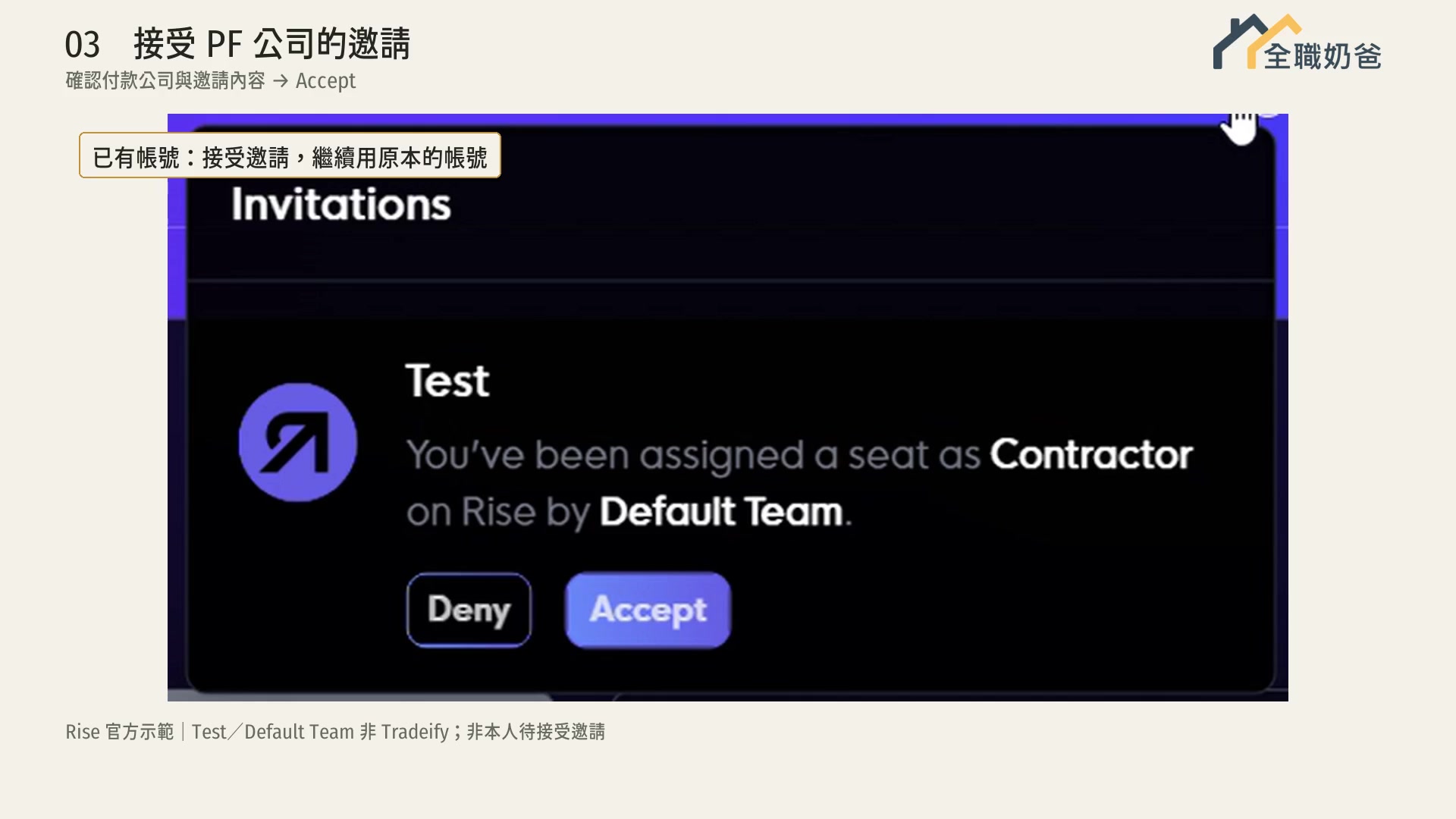
Open Action Items for any payer documents that remain. Read and sign your part, then check whether the document is waiting for the company. Documents provides the full files. When several payers use the same Rise profile, select the correct client before checking a particular payment.
If the invitation is missing or expired, ask the firm to resend it to the correct email. If it is accepted and your profile is ready but there is still no payment, ask the firm whether it has actually issued the transfer.
Add a bank, wallet or exchange destination
Select Withdraw in the sidebar, open Withdraw Options, then use Add under External Accounts. When no destination exists yet, Rise can open the setup screen directly.
Choose Bank Account to receive bank money, Crypto Wallet for your own supported wallet, or Exchange Account for a supported exchange destination. Saving that destination prepares the route; it does not itself send the balance.
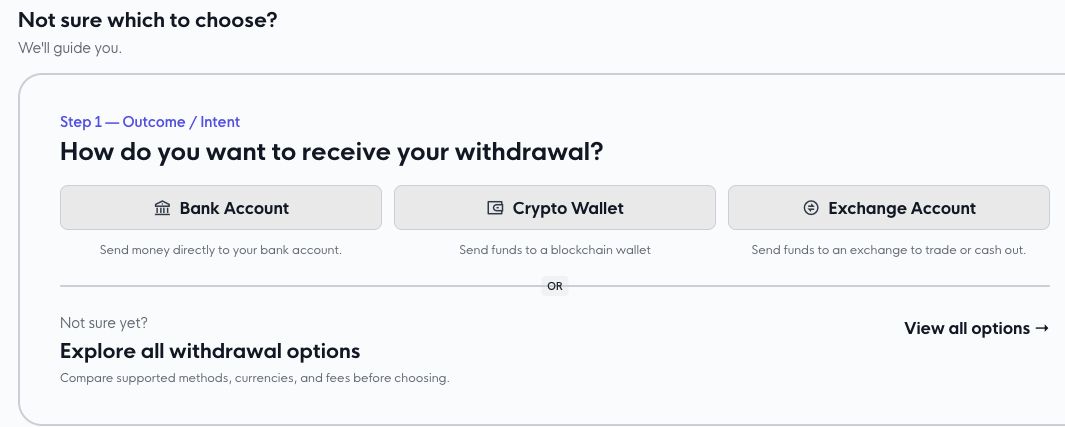
For a bank, the guided setup asks for its country, the currency to receive and the currency currently held in Rise. A USD balance going to a US bank uses the US domestic route when available to your profile. USD sent to a non-US bank as USD uses International USD. Receiving another local currency involves a different route and currency conversion.
Enter the bank's own receiving instructions for your account. A US ACH routing instruction and an international SWIFT instruction serve different transfers. The form should match the route you selected, and the receiving name must match your verified identity. Taiwan-specific USD bank fields are covered in the Traditional Chinese Rise tutorial.
For crypto, match the asset, network and receiving address to the destination. USDC on one network is not interchangeable with an unsupported route on another. If an exchange requires an additional memo or tag, confirm that the selected route can supply what the destination needs before using it.
For Futures Performance Rewards, the FundedNext Futures receiving-method guide explains the account-to-wallet step before Rise receives a payment. Check the actual method amount and quote separately from the trading account’s gross request and Reward Share.
Fees and delivery time depend on the route
| Withdrawal route | Rise fee | Published estimated delivery |
|---|---|---|
| US domestic USD | Free | Same day–2 business days |
| Local-currency conversion withdrawal | $10 | 1–2 business days in the general fee table; specific routes can differ |
| International USD via SWIFT | $25 | 3–5 business days |
| USDC or USDT | Network/token dependent; see the confirmation amount | Depends on route, processing and destination confirmation |
These are Rise withdrawal estimates, not a promise measured from the moment your prop firm approves a request. Holidays, review and the destination institution can add time. Receiving or intermediary banks may charge separately.
The Rise withdrawal fee table gives the current schedule. Check the fee and expected received amount on your own withdrawal screen. A free receiving profile does not make every withdrawal free.
If converting currency, follow one conversion route: either convert the balance before using the matching domestic-currency destination, or let the relevant local-bank withdrawal perform the conversion. Check both the held and received currency so the same funds are not converted unnecessarily.
Submit the withdrawal and check the destination
In Withdraw Options, select the saved destination to open Transfer Funds. Enter Set Withdraw Amount, then review Amount to Receive, Platform Fee and the destination. For a wallet, also check Network and Wallet against the receiving side.
Choose Confirm Withdraw when the details are correct and complete the requested authentication yourself. Then open Account History for the transaction's status, date, amount and destination. Finally, check the receiving bank or wallet record. A submitted request and a completed incoming deposit are different records.
A small initial transfer can help confirm a new route, provided it meets both sides' minimums. Two withdrawals can mean two sets of charges. Work out those costs before splitting a payment.
Who to contact when the money is missing
If the firm approved the request but no payment appears in Rise, contact the firm with the request date and amount. Ask whether payment has been issued and request the available payment reference.
If the funds are in Rise but onboarding, a passkey or the withdrawal is blocked, use Rise's in-app support. Include the exact step, status and transaction reference through the private support channel. An account review must be resolved by Rise; another firm's approval cannot override it.
If Rise shows a completed bank transfer but the bank has not credited it, ask Rise for trace information and give that to the receiving bank. For a crypto transfer with a transaction hash, check the correct chain and address, then ask the receiving service about its required confirmations or deposit review.
Before choosing another prop firm, compare its available payout methods alongside its trading rules. The prop firm comparison tool helps shortlist plans; the firm's own current payout options determine which receiving service you will need.
Rise prop firm payout questions
Does a Rise invitation mean my payout has arrived?
No. It establishes the receiving relationship. Check the incoming payment record separately after the payer issues the funds.
Do I need a new Rise account for each prop firm?
You can use an existing verified account and accept another payer's invitation. Check email matching and any new documents required for that payer.
Does Tradeify require the same email on Rise?
Yes. If the addresses differ, ask Tradeify and Rise to resolve the connection before continuing with the invitation.
Is receiving a prop firm payout through Rise free?
Rise's receiving profile is free. Withdrawal charges depend on the bank or crypto route, and banks or receiving services can add their own charges.
How long does a Rise payout take?
Separate the firm's payment processing from Rise withdrawal delivery. US domestic withdrawals are listed at same day–2 business days; international USD SWIFT is listed at 3–5 business days. Your transaction status and route-specific estimate are the relevant records.
I passed KYC. Why does setup still show pending?
Check the remaining sidebar items, including passkey, signing and Rise ID creation. KYC is one part of onboarding, not the whole process.
What if the payer's invitation expired?
Ask the payer to resend it to the email address used for your Rise receiving profile. Then review and accept the new invitation.
Can I use a relative's bank account?
Rise requires a destination matching the verified receiving identity. Use your own eligible bank account and matching receiving instructions.
Can I send the payout to an exchange?
Rise offers an Exchange Account destination. Confirm the exchange, token, network, address and any required additional information match the supported route.
Should I give the prop firm an external crypto address as my Rise ID?
Use the firm's Rise invitation and payment connection. Rise ID is the platform identity; external withdrawal destinations are added separately under Withdraw Options.
What if my passkey does not appear?
Check the device, browser or password manager where it was saved. If it is unavailable, follow Rise's recovery process and any required security review before authorizing funds.
Does receiving through Rise settle my tax reporting?
No. Payment processing and your tax obligations are separate. Keep payout and fee records, complete the forms requested for your actual status, and obtain advice for your own jurisdiction where needed.
Workflow and fee schedule reviewed: October 16, 2026. Availability and checks depend on your profile, payer and destination.